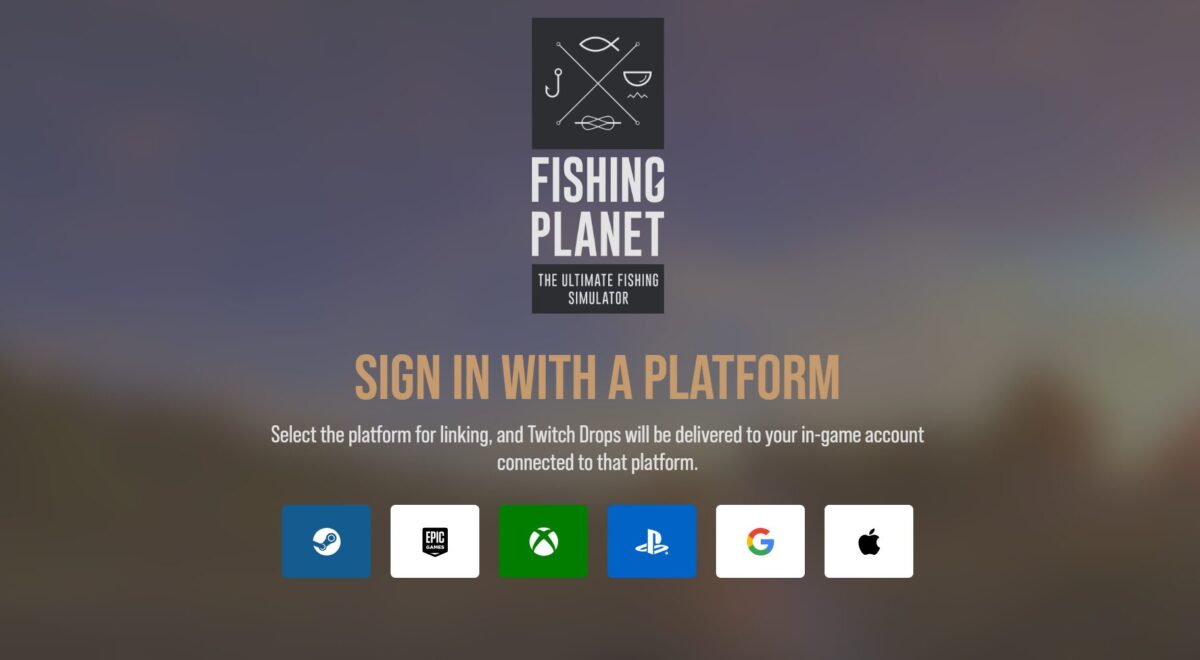
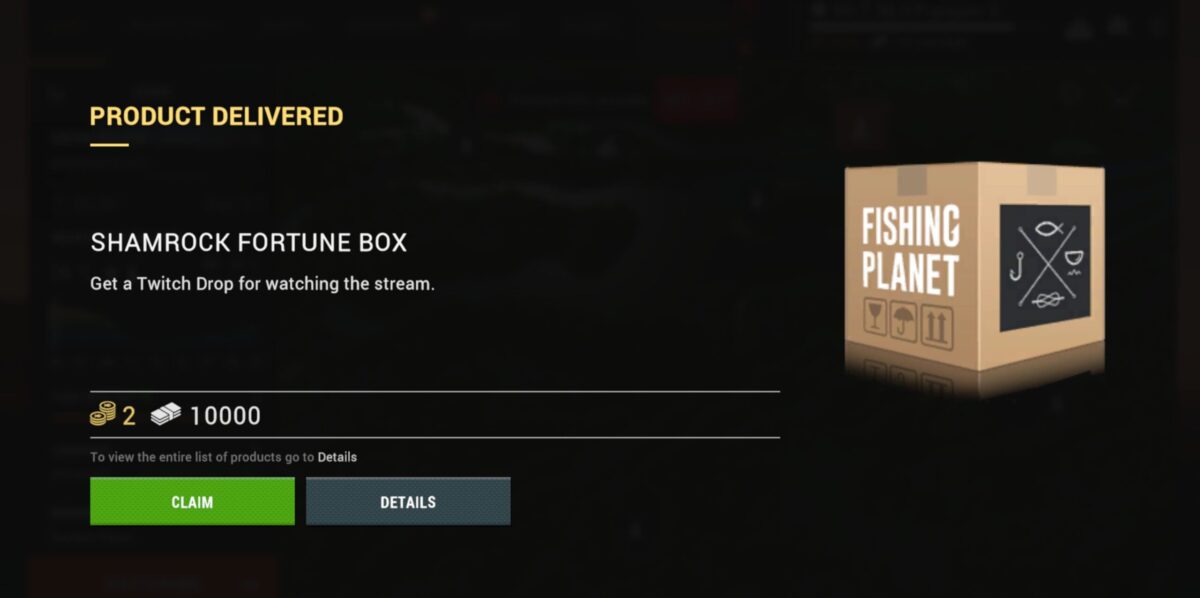
Here is a step-by-step guide on how to link your Twitch account to your in-game account and receive Twitch Drop Rewards. Before following these instructions, make sure you have an existing Twitch account.
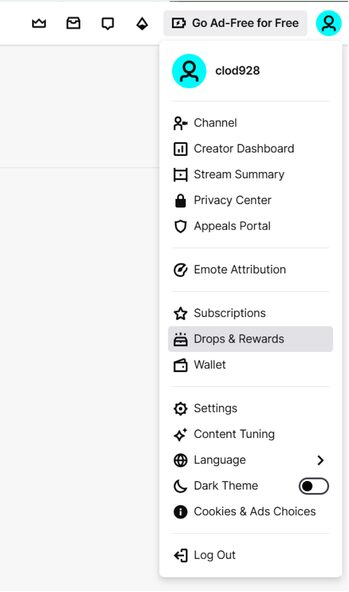
Click the button in the upper-right corner to open the Drops & Rewards section.
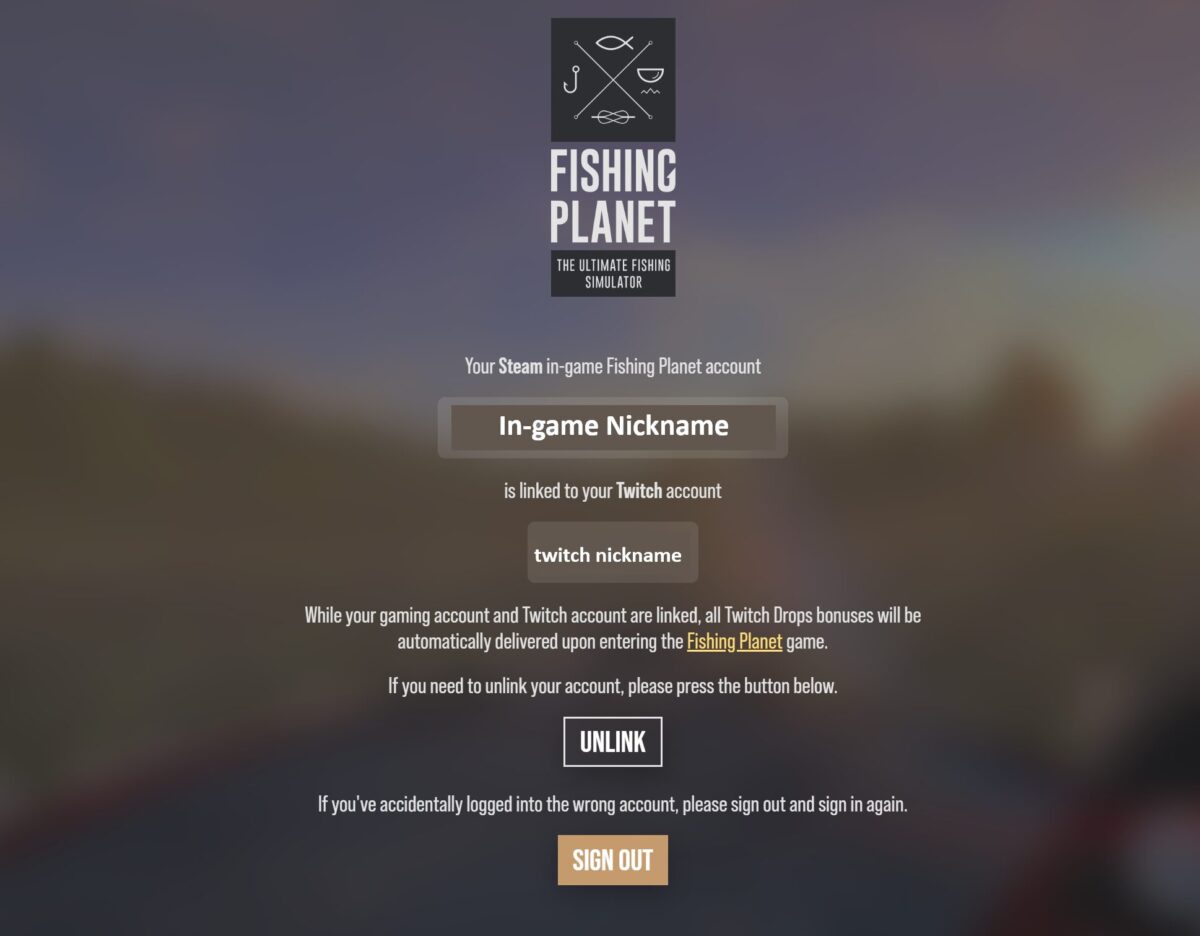
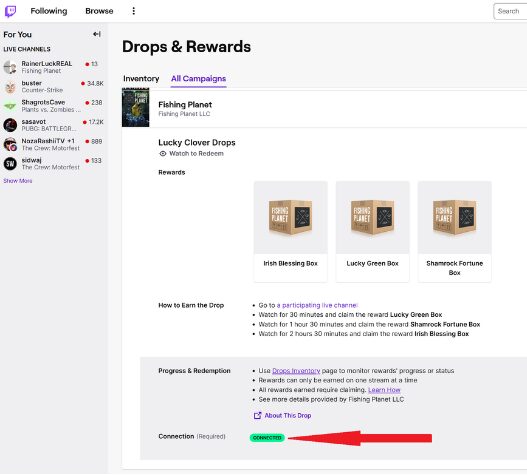
In the All Campaigns tab, check if your in-game account is linked successfully.
5. Check Notifications
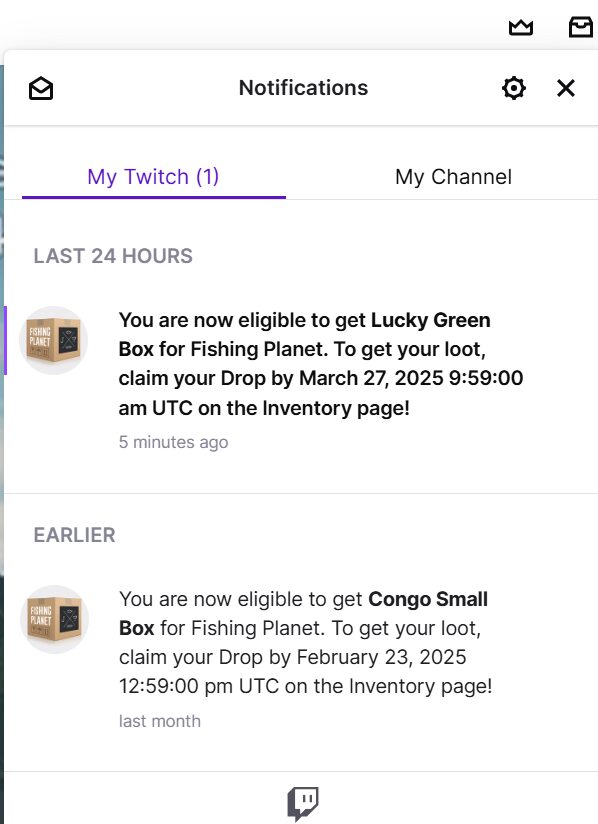
Once you earn a reward, Twitch will notify you in the Notifications tab.
Check the date and time when the in-game reward boxes will be available for claiming.
6. Claim Your Rewards
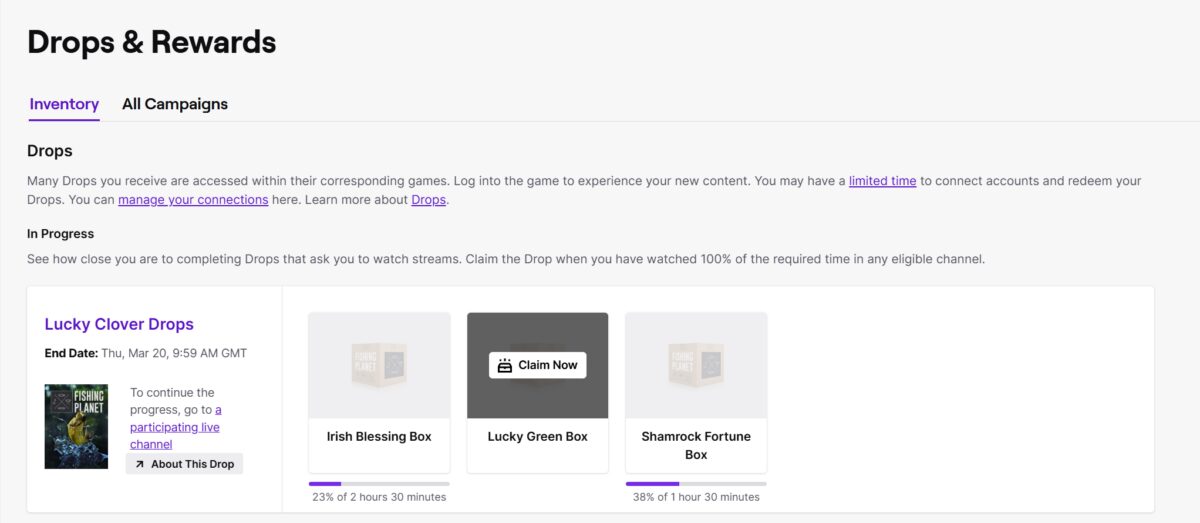
Log out of the game and go to the Drops & Rewards section on Twitch and click the Claim button. Please note: You must be offline in the game to receive the rewards.
7. Access Rewards in Your Game
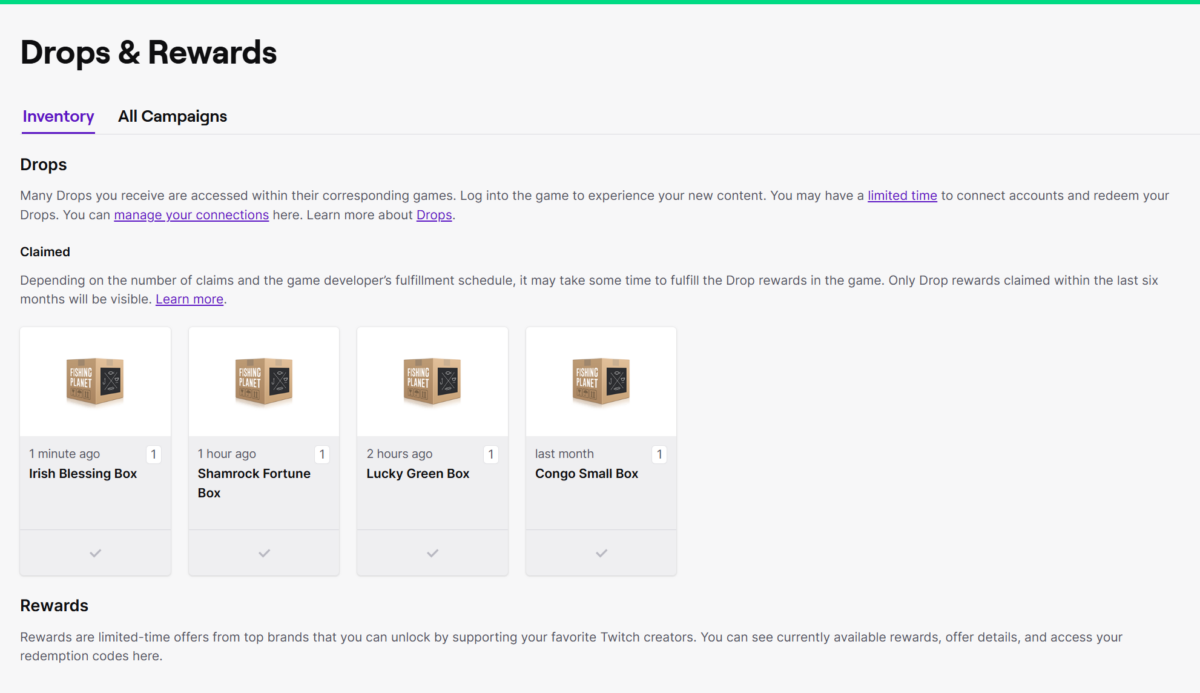
Launch Fishing Planet, and your rewards will be available when you enter the game. If you didn’t receive the rewards in your game, please return to Step 1 and try unlinking and linking your accounts again.
Japan, Maldives and Halloween Packs at 30% OFF Hey Anglers, The leaves are falling, the ghosts are calling, and paradise is closer than you think! Starting October 7, enjoy 30% OFF Chamaeleon Cruiser Pack,Japan Odyssey Pack, and Supernatural…
Halloween Season 2026: Chapter 1 Hey Anglers, The world has barely begun counting down to Halloween night, but the Haunted Fleet is already gathering on the horizon. This year, the Halloween season starts early and lasts longer, with mysteries unfolding across Fishing Planet’s waters. We begin with…
Boo Anglers, 🎃 Get ready for trick-or-treat season and enjoy the treat side of it with Haunted Fleet Twitch Drops! The campaign will run from October 1st, 10 AM UTC until October 19th, 10 AM UTC on all platforms except Nintendo Switch. Tune in to themed…
We use cookies to make our Website work, improve performance, analyze traffic, and measure marketing campaigns. You can accept all cookies, reject non-essential cookies, or customize your preferences.
Cookie Preferences
You can choose which types of cookies we may use. Strictly necessary cookies are always active because they are required for the Website to function properly.
You can change your preferences at any time through the Cookie Preferences link on our Website.
These cookies are required for the Website to function properly. They support core features such as security, consent management, support forms, and basic Website operation.
These cookies do not require consent and cannot be disabled through this panel.
Name
Description
Duration
Cookie Preferences
This cookie is used to store the user's cookie consent preferences.
30 days
Cookie Preferences
This cookie is used to store the user's cookie consent preferences.
30 days
Analytics cookies help us understand how visitors use the Website. They allow us to measure traffic, identify popular pages, improve performance, and fix issues.
We may use services such as Google Analytics for this purpose.
Google Tag Manager simplifies the management of marketing tags on your website without code changes.
Name
Description
Duration
cookiePreferences
Registers cookie preferences of a user
2 years
td
Registers statistical data on users' behaviour on the website. Used for internal analytics by the website operator.